
The Midtronics DCA-8000 Diagnostic Charger (Fig. 1) is the latest generation battery charger and tester from Midtronics. It provides fast, accurate testing results and is the GM-required tool for charging and testing 12-volt batteries under warranty (U.S.)
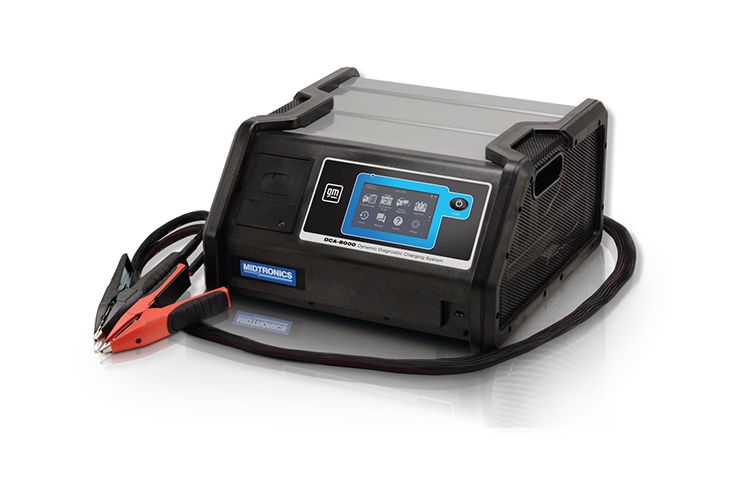
Fig. 1
Shipments of the Midtronics Diagnostic Charger DCA-8000P Essential Tool have concluded, and all U.S. dealerships now have at least one DCA (8000 or 8000P) for charging and diagnosing 12V batteries. DCA-8000P shipments to Canadian dealerships will continue throughout the year.
Midtronics GR8 Battery Tester/Charger (GR8) and E-XTEQ Diagnostic Charge Battery Station (DCBS) test codes are no longer accepted in support of replacement warranty claims (U.S.).
In Canada, dealerships may use a DCA Battery Tester/Charger (DCA-8000 or DCA-8000P), GR8 Battery Tester (EL-50313), or an E-XTEQ Diagnostic Charge Battery Station/DCBS (EL-52800) until further notice.
Required Tool
All warranty job cards (U.S.) must use the DCA to test 12V batteries under warranty. Only warranty codes generated from a DCA tool will be accepted in support of warranty replacement of a 12V battery.
The DCA battery test result printout (Fig. 2) must include:
- Diagnostic Charge test information
- Test result that reflects “Replace Battery”
- The 16-digit Warranty Code, which is the correct code to enter on the warranty transaction. This code is unique to each test performed and is decodable by GM.
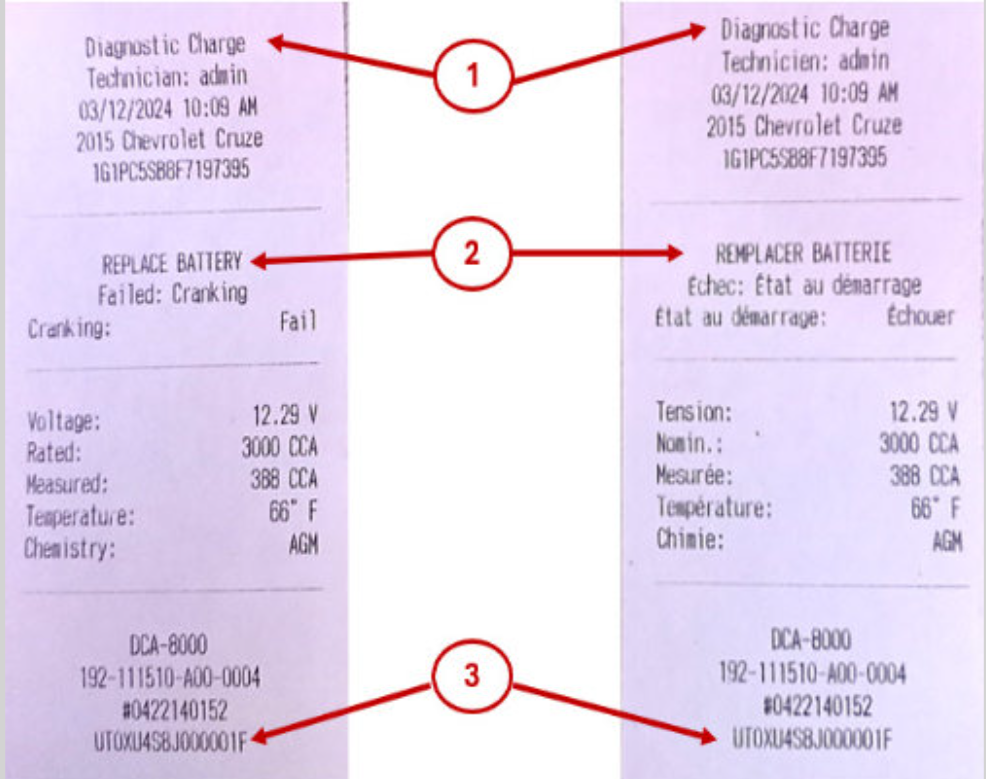
Fig. 2
TIP: As a standard practice, the DCA should be connected to the dealership’s Wi-Fi, which facilitates battery test data transmission to GM in a timely manner.
Refer to Bulletin #20-NA-132 for more information about 12V battery testing and warranty replacement requirements.
Battery Test Decisions
For successful 12V battery replacement warranty transactions, review the following guidelines before completing battery testing.
| 12-Volt Battery Test Decision Mapping | ||
| Final Battery Test Decision | Decision Cause/ Explanation | What should you do when you receive this decision? |
| CHARGE & RETEST | Incomplete test. Battery is discharged and requires additional charging and diagnostics. | Retest and allow test to complete this time. |
| NO DECISION | Incomplete test. Battery tested incorrectly as non-diagnostic (or) test terminated before completion, voiding final decision. | Retest and allow test to complete this time. |
| ABORTED | Incomplete test. User exited charge session during Recovery mode charging. | Retest and allow test to complete this time. |
| FROZEN BATTERY | Incomplete test. Battery is less than 10F at the clamps, and electrolyte is frozen this prevents testing and increases risk of internal damage to the battery. | Warm up the vehicle/battery & retest. Keep tool connected to accelerate battery warm up. |
| GOOD BATTERY | Test completed-good battery. Battery successfully recharged to > 80% State of Charge. | Stop testing. Battery replacement is not required. |
| GOOD RECHARGE | Test completed – Good battery. Battery recharged effectively to between 60% and 80% State of Charge. | User can stop testing or allow charger to continue in top-off mode. Battery replacement is not required. |
| REPLACE BATTERY | Test completed – Bad battery. | Stop testing. Submit for replacement. |
| BAD CELL SHORT REPLACE | Test completed – Bad battery. | Stop testing. Submit for replacement. |
The following items may cause Global Warranty Management (GWM) errors:
- Incorrect battery setup information entered during testing, such as the wrong battery type or CCA.
- Exceeded the maximum number of battery tests. Allow testing to complete. Do not rest after receiving a completed test decision.
- The OEM battery type or CCA information was not available in the GM system for the VIN.
DCA Assistance
To help with using the DCA in dealerships, Midtronics has produced an operator’s guide with a variety of tips, tool updates, connections, and other support topics. (Fig. 3) More information on assembly, getting started using the tool, and details on the service apps can be found at http://gmdca8000.midtronics.com.
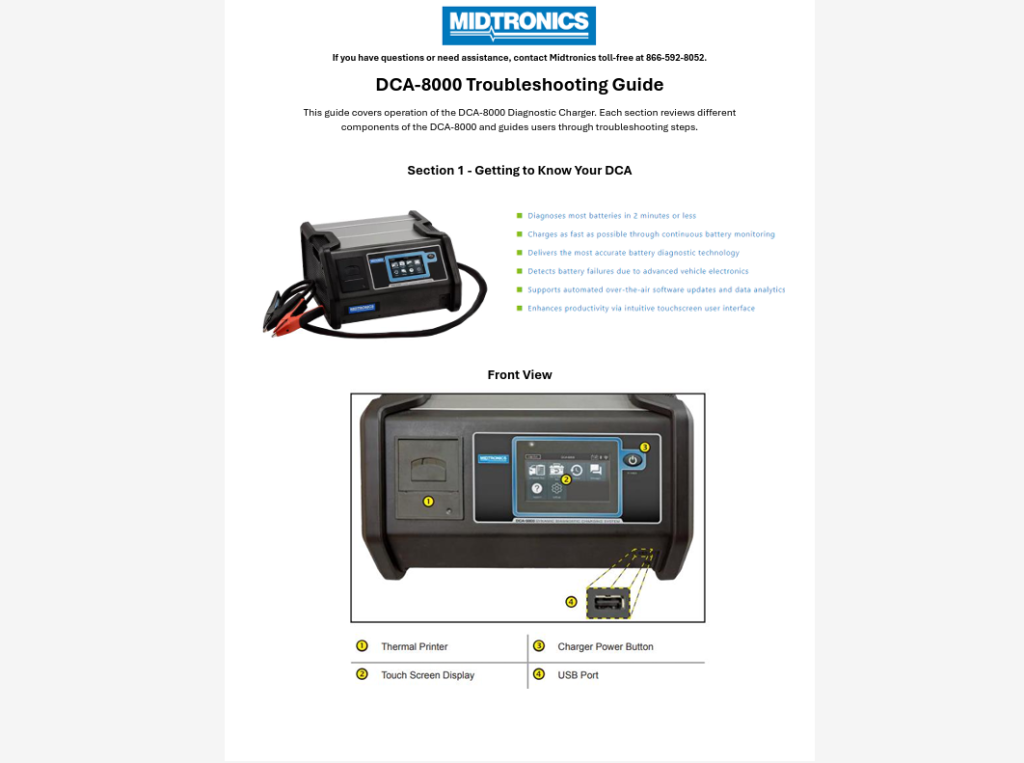
Fig. 3
Additional DCA units also can be purchased directly from Midtronics. Go to http://gmdca8000.midtronics.com for current pricing and ordering or contact Midtronics at 866-592-8052 for further information.
If you have questions or need assistance with the DCA-8000P, contact Midtronics toll-free at 866-592-8052.
– Thanks to Josh Shuck




wow.Did anyone ever use this machine before it was released?2 hours and 24 minutes to charge and test a battery?Does that seems efficient to anyone?Then it said the battery was good?The gr8 said bad cell.What should we believe?
GM provided a $1,416 discount on the shipment of the DCA instead of a buyback program. The DCBS can still be used for non-warranty testing, charging and as a battery maintainer.
If the DCBS tools are no longer considered acceptable for warranty will GM be offering any kind of buyback program for them since we were required to purchase them?
In the U.S., the warranty code from the DCA is needed for warranty battery replacement on new vehicles in inventory. In Canada, the DCA, GR8 and DCBS testers can all be used.
When Performing a PDI will the DCA-8000P be the only accepted warranty code then? Or will the GR8 and DCBS still be allowed for PDI’s