
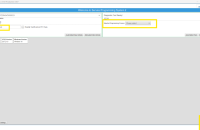
GM has recently introduced Guided Diagnostics, a VIN-specific diagnostic application designed to help technicians follow a more focused repair path that reduces dead ends and makes troubleshooting more efficient. At launch of the application, Guided Diagnostics is available to all Cadillac dealerships (U.S.) for 2024-2026 LYRIQ models. (Fig. 1) Additional models are planned to be added in the coming months as feedback is gathered.
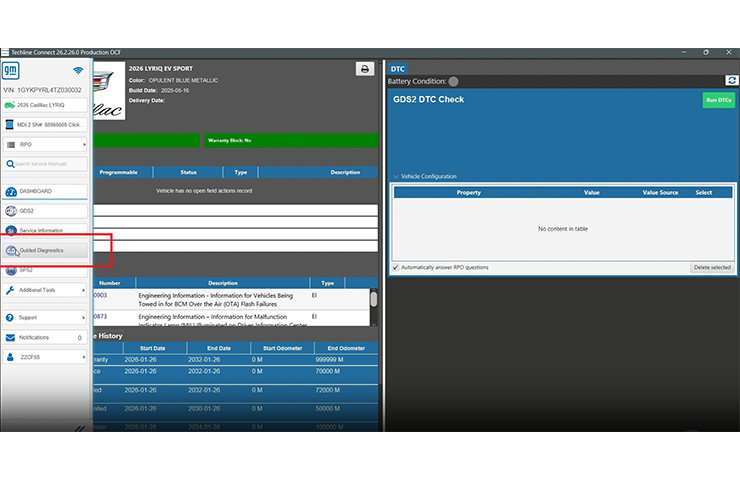
Fig. 1
Guided Diagnostics uses authored diagnostic models, live vehicle data and historical confirmed repair information to help identify the most probable root cause of a concern. Instead of requiring technicians to work through long, static diagnostic documents, the application presents VIN-specific data and guided workflows that include the minimum necessary tests and repair steps, based on the vehicle, DTCs set and other information available, helping reduce unnecessary checks and avoid unrelated diagnostic paths.
Technicians Control the Process
Guided Diagnostics keeps technicians in control of the repair process. The application supports diagnostic decision-making by organizing available information, recommending the next logical step and helping technicians focus on the highest-value tests first. Technicians still verify the concern, perform the required tests and determine the appropriate repair, but with clearer direction and less time spent sorting through information that may not apply to the vehicle.
The goal is less time searching across disconnected tools and more time following guided next steps that are directly tied to the vehicle being diagnosed. By prioritizing the most likely repair path, the application can help improve diagnostic consistency, support faster first-time fix decisions and reduce repeat testing when multiple symptoms or DTCs are present.
Access Guided Diagnostics in Techline Connect
To access Guided Diagnostics, select the Guided Diagnostics link in Techline Connect. Access will automatically apply upon logging in to Techline Connect with the proper administrative rights. Additional dealerships will be added in the coming weeks.
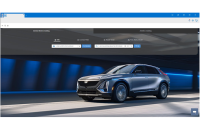
From the Techline Connect home screen, select Guided Diagnostics from the left-hand menu to access the application. Techline Connect will pull data from the vehicle and launch Guided Diagnostics in a new browser window. (Fig. 2)
TIP: The very first time a user launches Guided Diagnostics, it will take some extra time to build directories for the user. Techline Connect will open a new tab in a browser window, but the screen will be remain blank. After an extended period (5+ minutes), users may think the tool has become unresponsive but Guided Diagnostics will launch once the directories are completed.
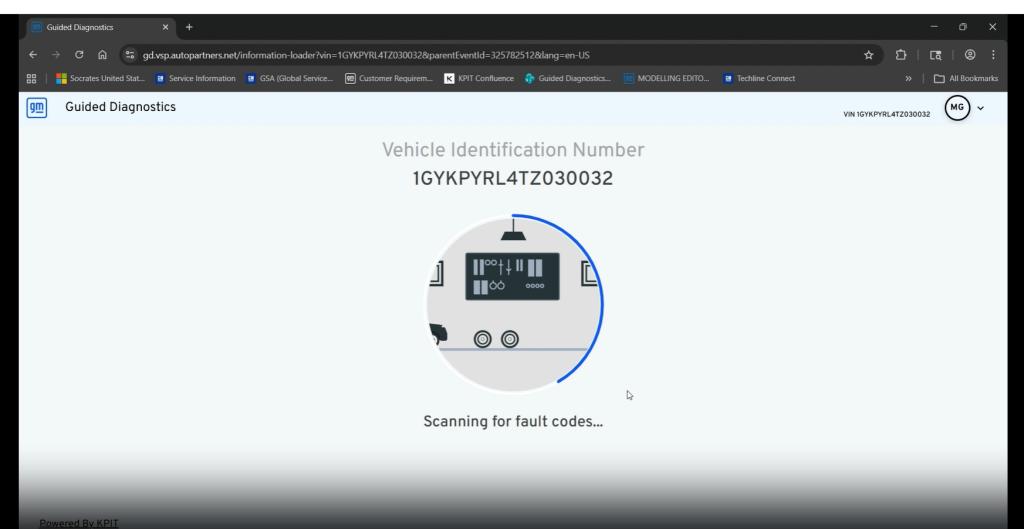
Fig. 2
It will list all current and history DTCs. Current DTCs can be selected for diagnosis. It’s recommended to select all DTCs, click Diagnose, and let the application do the work to determine the best diagnostic path. (Fig. 3) This saves time and creates a more accurate diagnosis as all faults are considered.
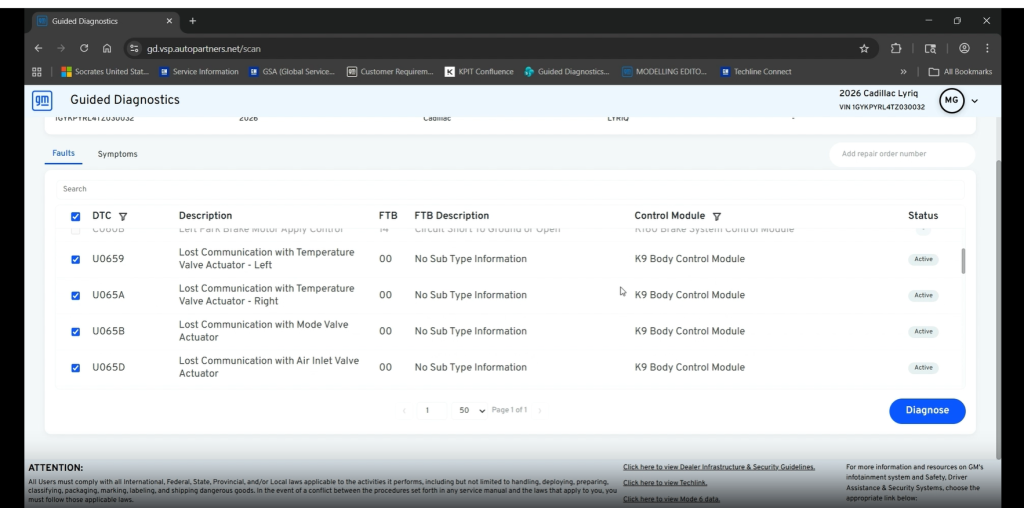
Fig. 3
The application will recognize and group related DTCs and test them in a single diagnostic procedure. At any time, technicians can ungroup any DTCs and test them separately.
Next, a test plan will show the recommended steps to follow with clear instructions. Additional details can be displayed by clicking the Preview button. (Fig. 4)
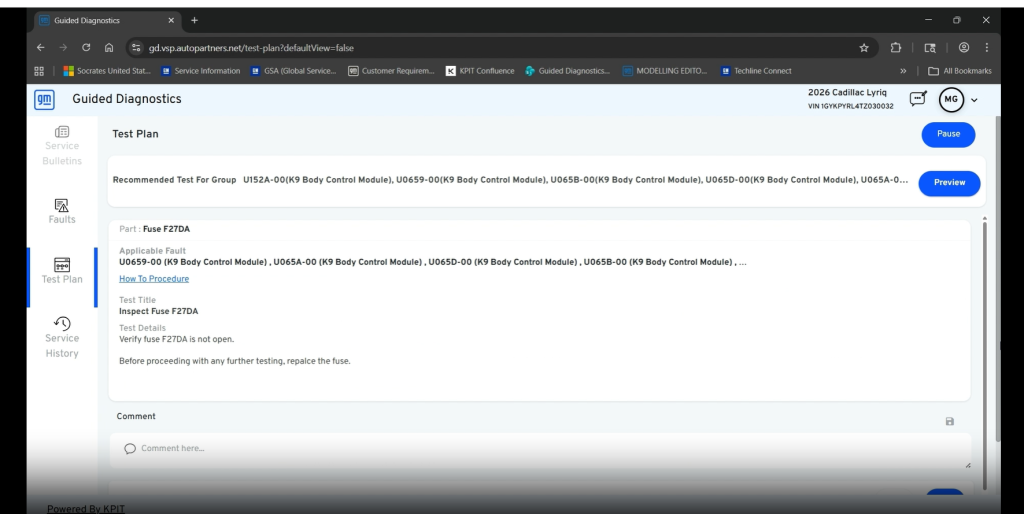
Fig. 4
Simple “yes” and “no” answers help guide technicians through the test plan.
How-to procedure links also are provided with additional information about various test procedures in the Service Information.
Rendered Schematics
When viewing a Guided Diagnostics test card, a Wiring Diagram link may be available to Rendered Schematics for wiring diagram details related to the test being performed. (Fig. 5) Rendered Schematics replace static, document-based wiring information with dynamic, VIN-specific diagrams tailored to the exact vehicle configuration, making it easier to understand circuits, connectors, component relationships and harness routing.
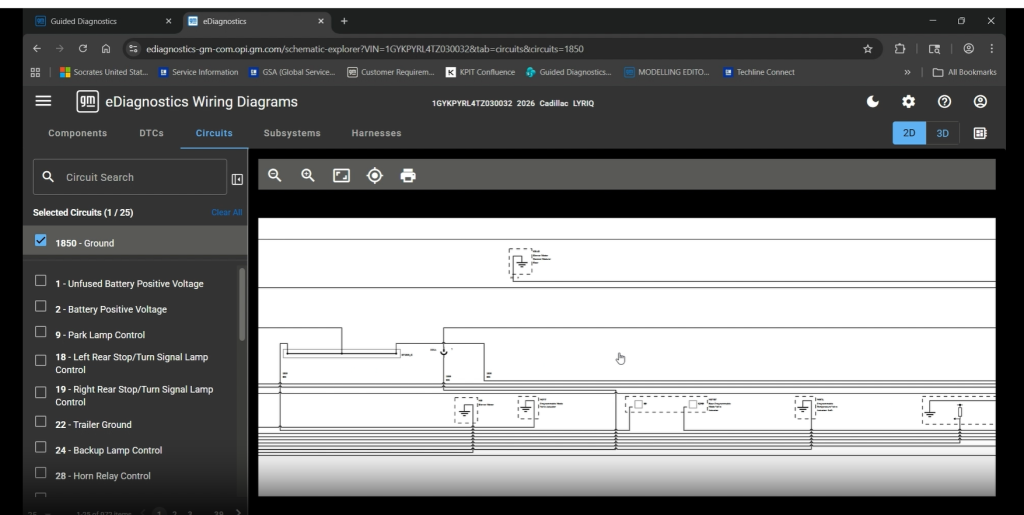
Fig. 5
Rendered Schematics are available to all GM dealerships (U.S. and Canada) on 2025 Blazer EV, Equinox, Terrain; 2025-2026 Equinox EV, Tahoe, Suburban, Yukon, Escalade, LYRIQ; and 2027 Bolt.
Each Guided Diagnostic session is saved for the VIN and can be reviewed during future repairs. (Fig. 6) The documented repair process also can be helpful for warranty claims.
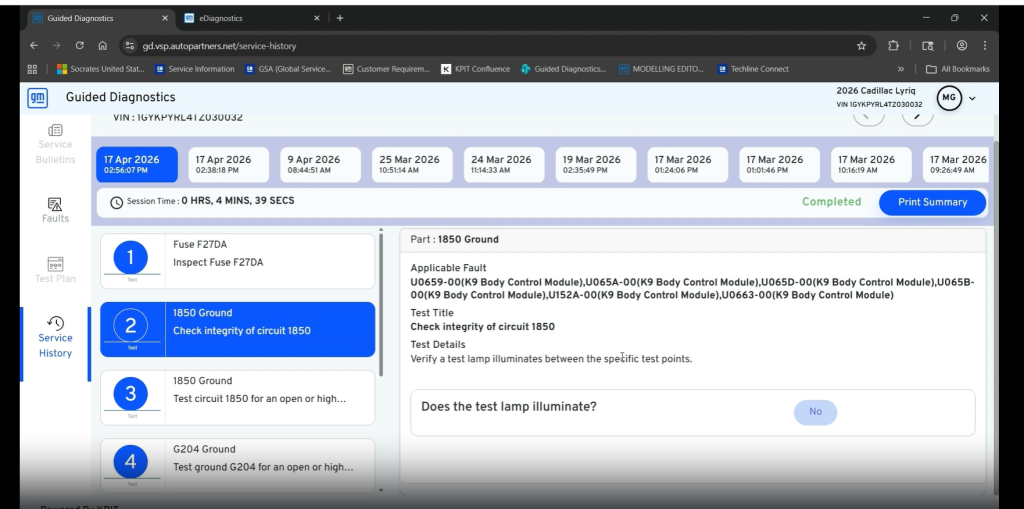
Fig. 6
Technicians are encouraged to provide feedback on the guided test plans as well as application features using the Feedback button in the upper right of the screen.
By moving from static documents toward intelligent, data-focused diagnostics, these applications are the first in an enhanced GM service ecosystem featuring modernized technician tools, responsive, cloud-based service applications and connected diagnostics that are designed to improve problem-solving, reduce complexity, and enable a better repair experience across the dealer network.
– Thanks to Chris Henley



Please contact your warranty administrator for labor time issues.
if they cut labor times, can we get paid the “regular” diag time if we dont use the tool???
Cuts have been happening for a long time on the EV’s. Many electrical op codes now either pay ony up to 0.3 diag or no diag at all !
Currently, VISTIQ and OPTIQ are planned to be added. Other models are expected to follow at a later date.
Sounds good in theory. Just don’t cut times because this tool works.
even if this tool is supposed to reduce complexity it sure looks like trying to figure the tool out is going to be way more complex then just being smart enough with the proper training to figure it out the normal way.
is the rest of the GM brand going to get this tool