There are times when working on a case with the GM Technical Assistance Center (TAC) where a GDS 2 session log will be needed to help with diagnosis of an issue. The procedure for attaching GDS 2 session logs to TAC cases has changed with CX Connect compared to the previous DCM system.
Here’s a quick look at how to attach a GDS 2 session log to a TAC case in CX Connect.
Export a Session
Begin by exporting the session log from GDS 2. Do not use the Save As tab, which will save the file in a format that cannot be viewed by TAC.
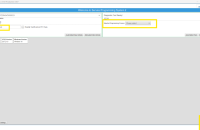
- Click the Review Stored Data button. (Fig. 14)
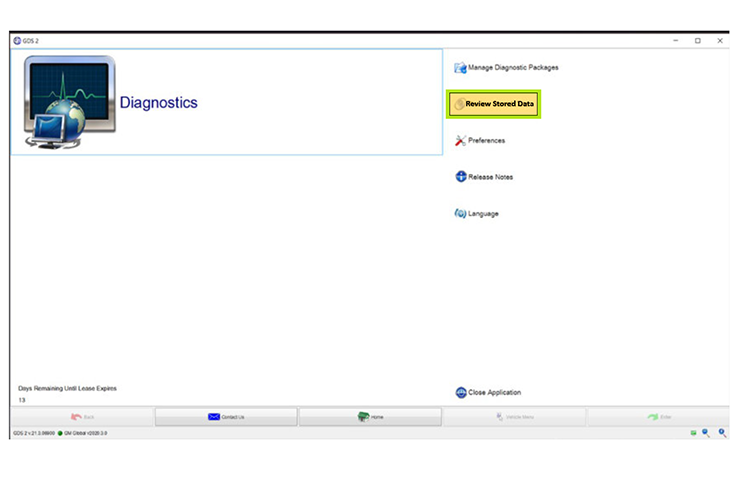
Fig. 14
- Click the Edit button. (Fig. 15)
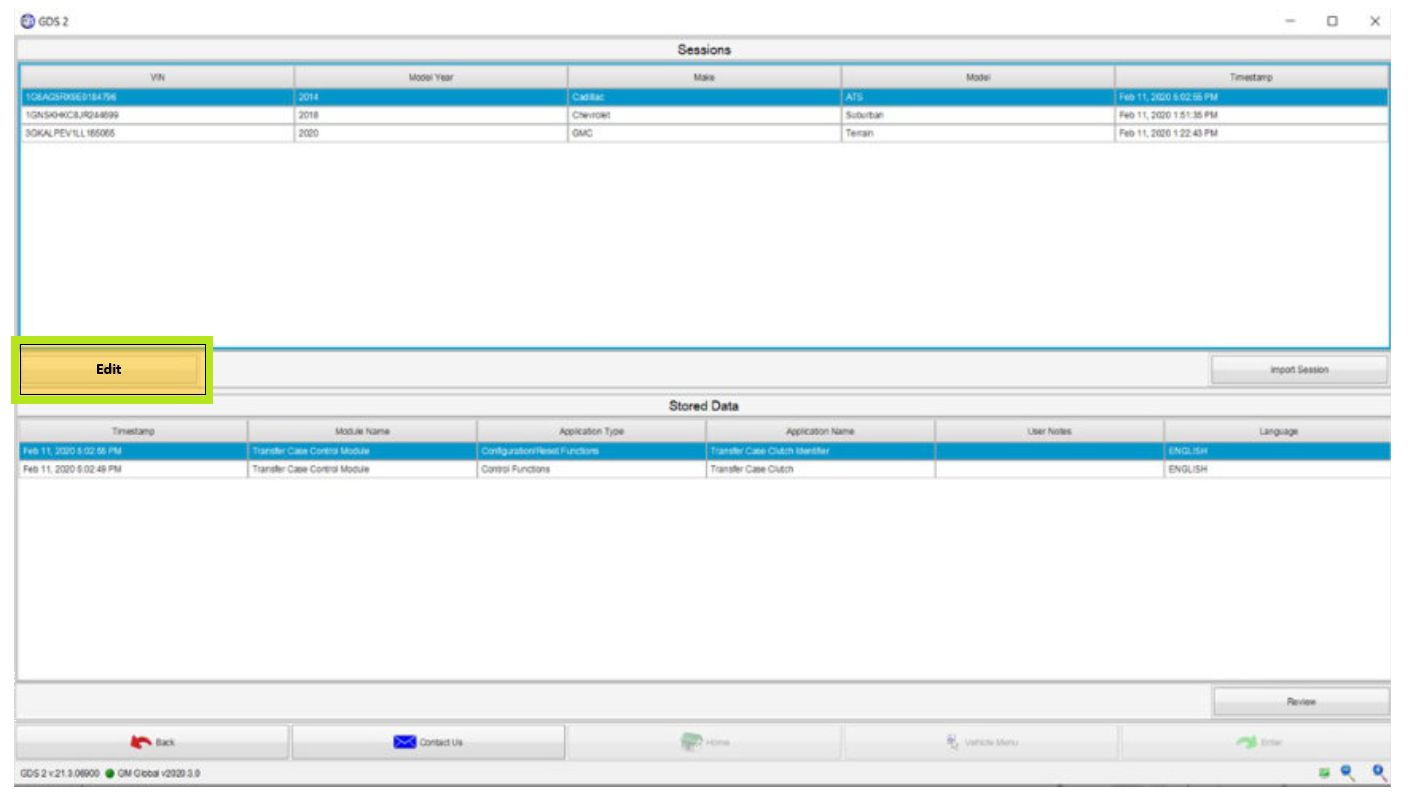
Fig. 15
- Select the VIN by adding a check mark next to the desired session log and then click the Export button. (Fig. 16)
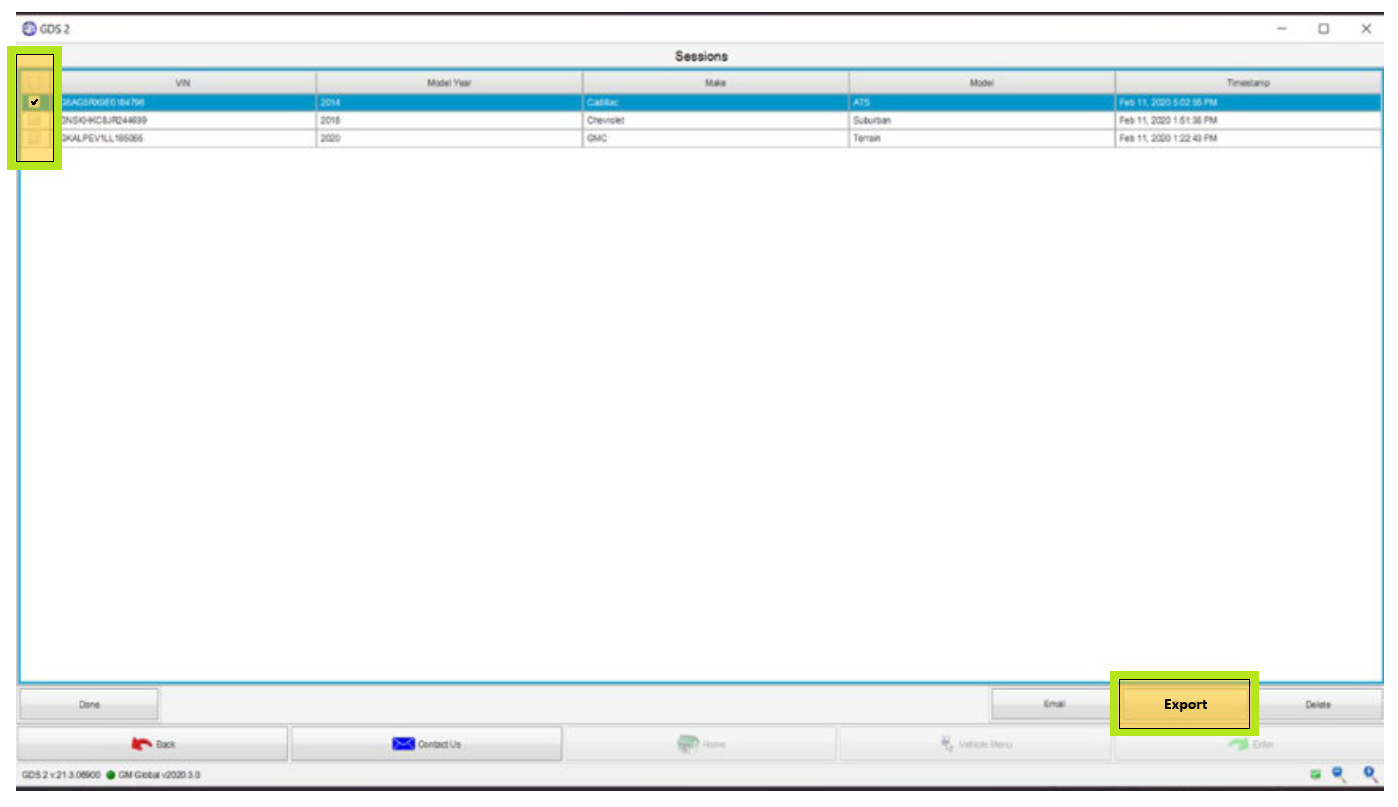
Fig. 16
- The VIN will appear in a dialog box. Save the file in a location where it can be easily accessed later. (Fig. 17)
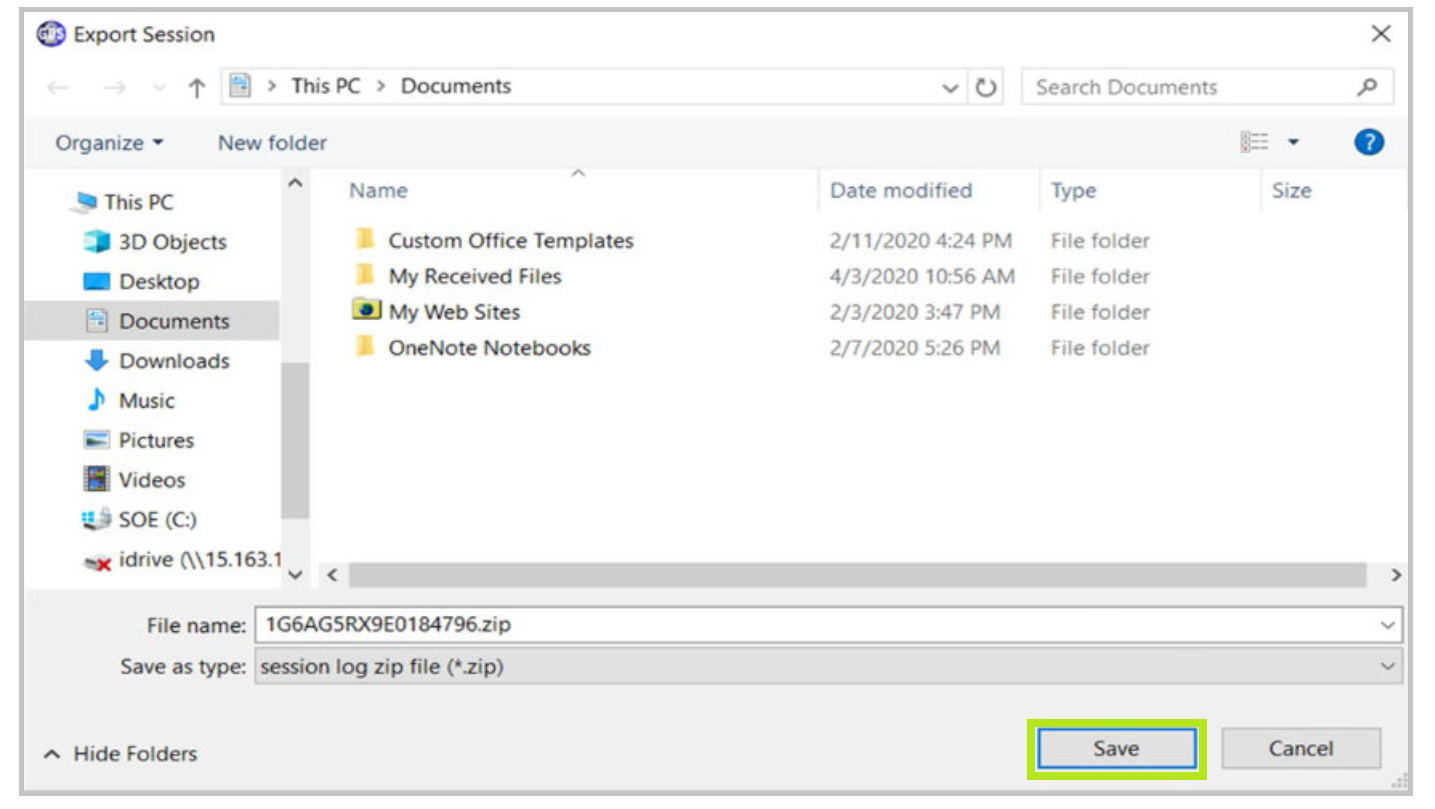
Fig. 17
Attach a File
- To attach a file to the TAC case, locate the Files component on the right side of the case and then select Add Files. (Fig. 18)
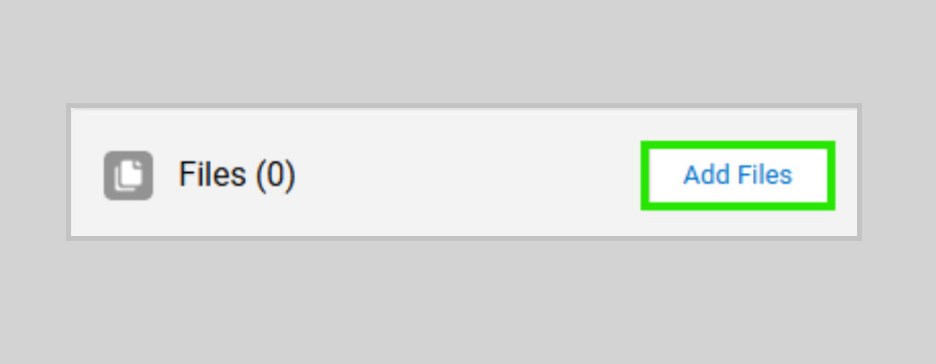
Fig. 18
- Select Upload Files, navigate to the file that was saved and then click Open. Once the file is uploaded, the Upload Files splash screen will be seen along with the attachment. Click the Done button to go back to the case page. (Fig. 19)
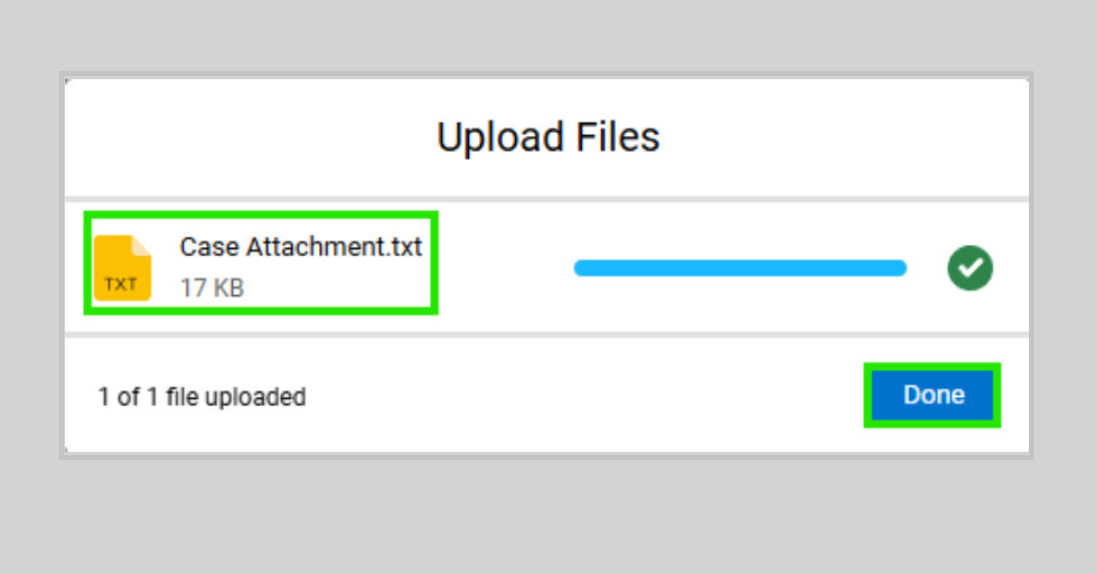
Fig. 19
- The file will now be shown as an attachment to the case. (Fig. 20)
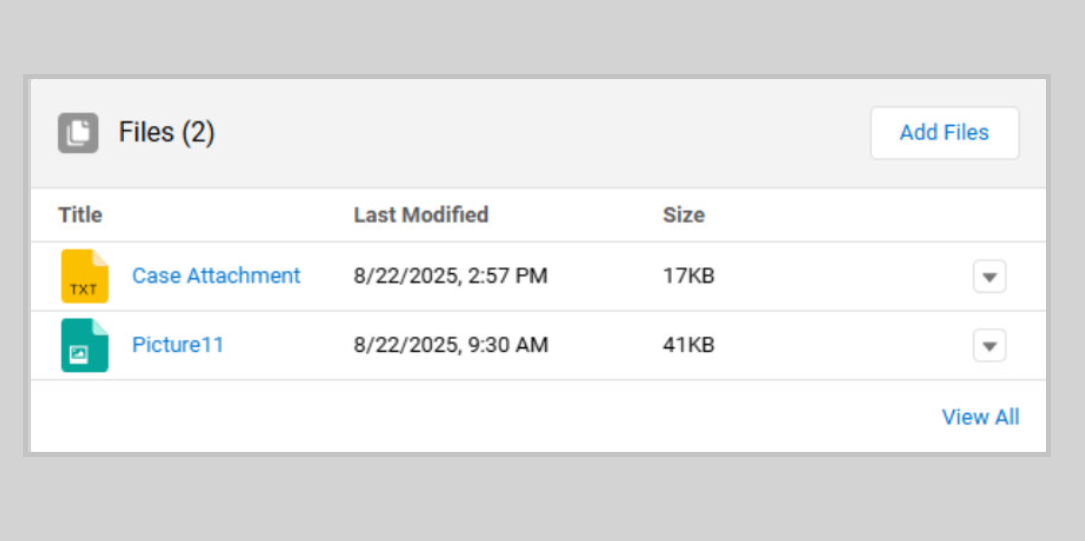
Fig. 20
TIP: When sending session logs into TAC for assistance, make sure to bookmark the session where the concern takes place. A relevant session log should clearly show the DTC setting current during the session, or include bookmarks placed at the time the event occurred. As a best practice, it is recommended to record several shorter sessions rather than one long, continuous session.
For additional information about sending GDS 2 session logs to TAC using CX Connect, refer to #PIP6104.
For more details on emailing a GDS 2 session log to TAC, refer to #PIP4902.
– Thanks to Tim Lightfoot