
IMPORTANT: The CX Connect release will now be available on Thursday, January 22nd. We appreciate your patience and understanding in this matter.
The latest CX Connect release (January 2026) includes multiple enhancements and updates that are designed to increase the functionality of the app and make it easier to use.
Here’s a look at some of the updated features.
Collaboration Updates with Streamlined Visibility
All dealership and support team collaborations are now consolidated into a single, intuitive view. With expandable fields, (Fig. 16) quickly access the full history of interactions in one place, eliminating the need to search across multiple screens. This means greater transparency, faster resolutions, and improved teamwork between dealerships and support teams.
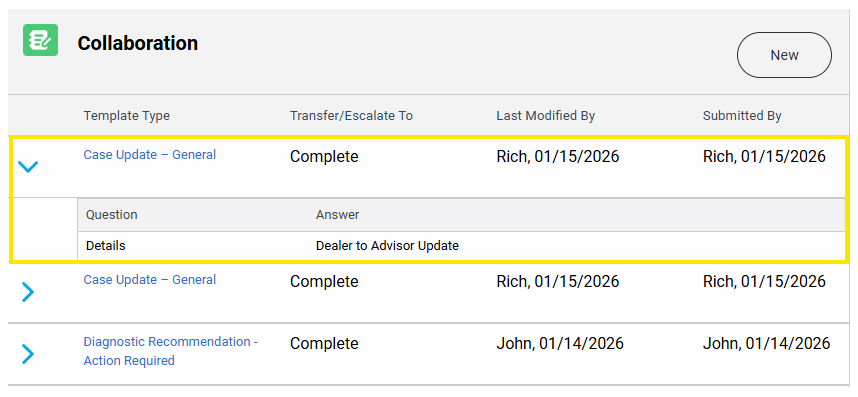
Fig. 16
The first collaboration is automatically expanded, which allows quick access to the latest case information. Each subsequent collaboration can be expanded by clicking on the Arrow next to that collaboration. (Fig. 17)
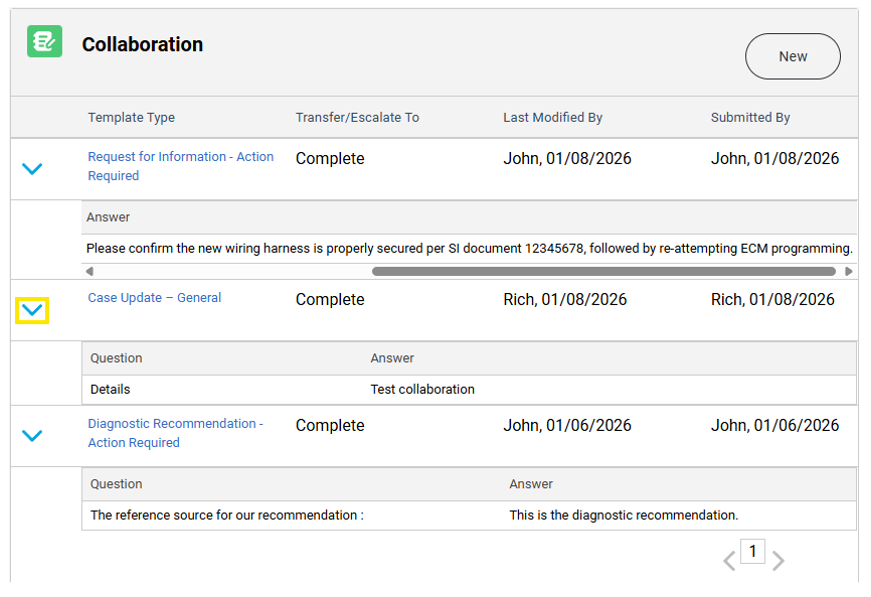
Fig. 17
Users can hover over the text response in the collaboration to preview the text in the collaboration if the text spans beyond the width of the collaboration field. (Fig. 18)
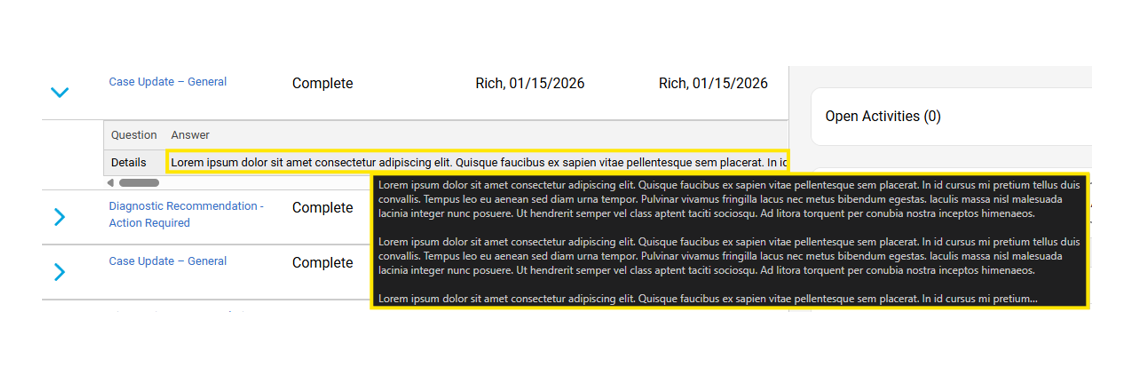
Fig. 18
Users can also click on the hyperlink of the collaboration to open a splash screen with that specific collaboration information. (Fig. 19)
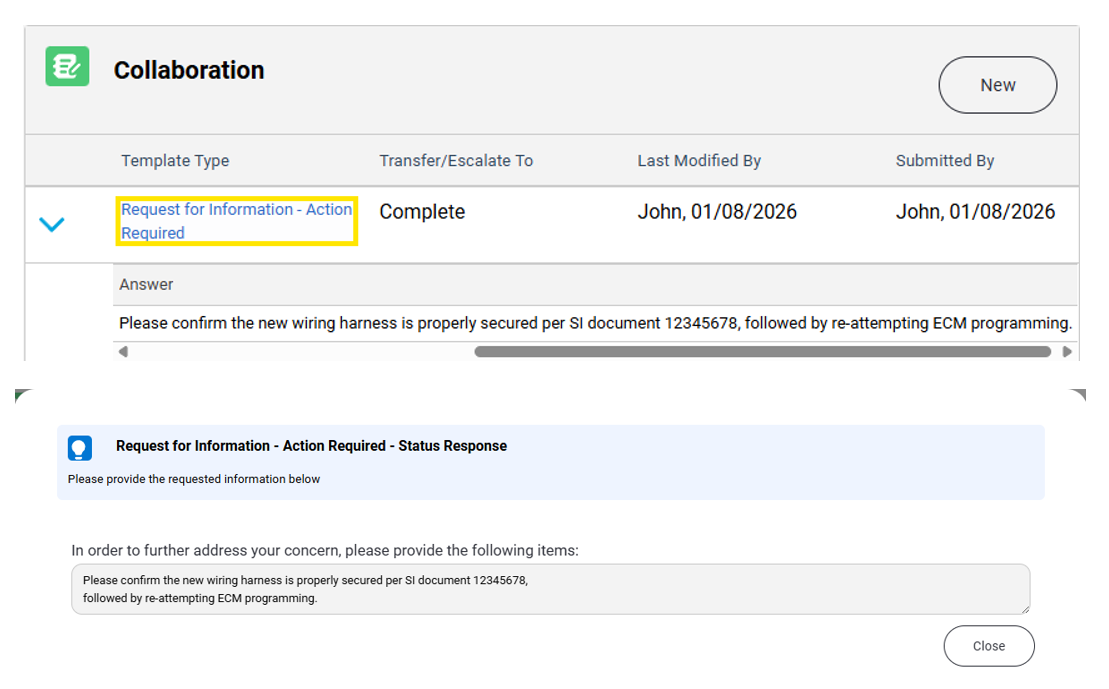
Fig. 19
TIP: Currently, the non-hyperlinked collaboration text features a horizontal text scroll that is an interim solution, and a fast follow custom design is being developed to properly wrap the text in that field. (Fig. 20)
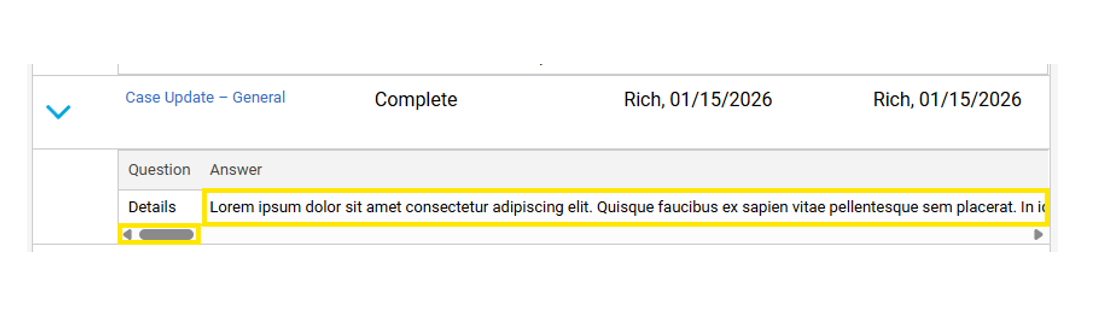
Fig. 20
Click below for a video on using the new Collaboration features.
Add Vehicle Button
We’ve heard your feedback — adding a placeholder VIN when one isn’t in the database has been inconvenient and time consuming. To address this, the ability to add the correct VIN directly, eliminating extra steps and reducing errors, has been introduced. (Fig. 21)
TIP: Please ensure you validate the VIN for accuracy in Investigate Vehicle History (IVH) before submission to maintain data integrity.
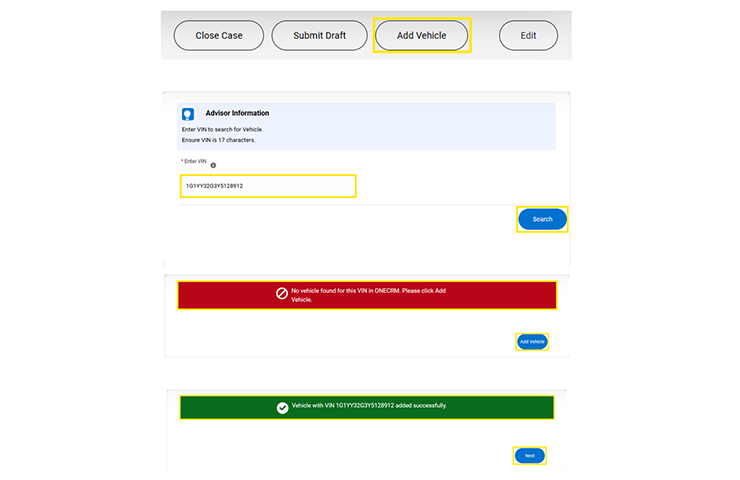
Fig. 21
Click below for a video on using the new Add Vehicle Button.
Vehicle Search Tooltip
To make finding the right vehicle easier and faster, an enhanced tooltip next to the Vehicle Search field has been added. (Fig. 22) Hover over the tooltip to see clear instructions to search using the last 8 digits of the VIN. This simple improvement reduces confusion and ensures the correct vehicle for a case is selected, saving time and preventing errors.
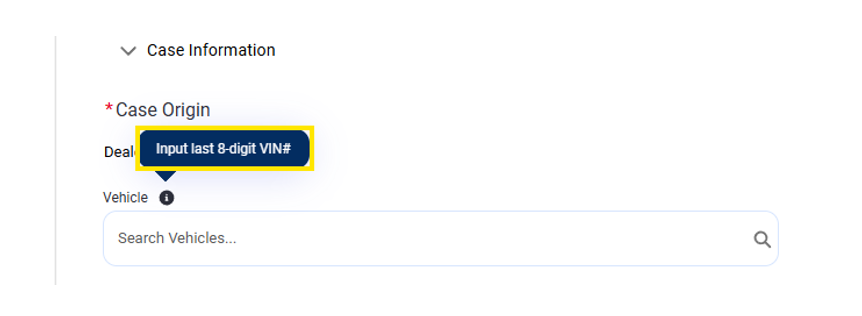
Fig. 22
Case Assessment Fields
Techline SPS Assessment has an updated question label: Current/New Part Number is now Current Module Part Number/New Module Part Number.
TAC – Diagnostic Form question update asks about technician certification: Are you High-Voltage certified? (Please be advised if the case is due to a High Voltage system, the technician must be certified for Hybrid/EV vehicles. If not, please contact us once a certified technician is available.)
Easier Navigation and Visibility
Based on your feedback, the font sizes have been made larger (Fig. 23) and radio selection buttons more prominent (Fig. 24) — ensuring easier navigation and clearer choices. These updates are part of our ongoing commitment to delivering a more intuitive, user-friendly interface that helps you work faster and with confidence.
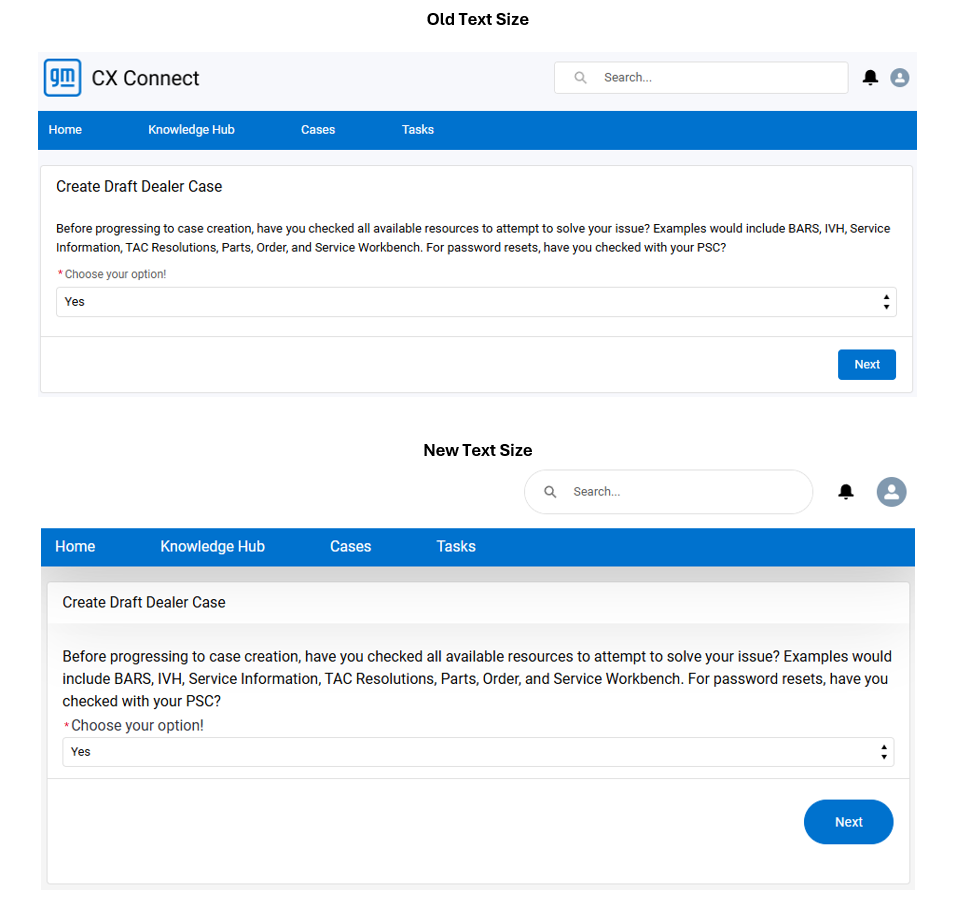
Fig. 23
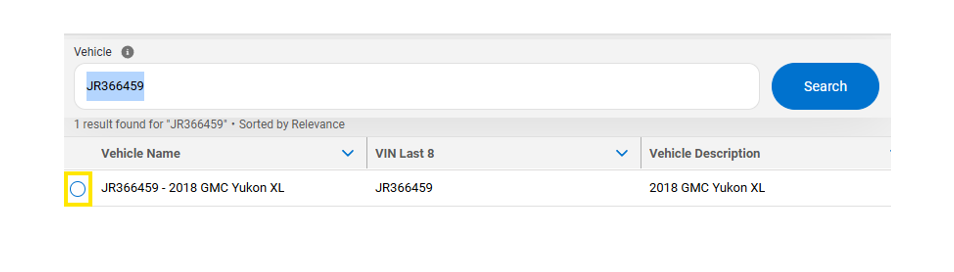
Fig. 24
Case Assessment Organization
Case Assessments are now grouped by support area (TAC, TCSC, etc.) for improved navigation. (Fig. 25)
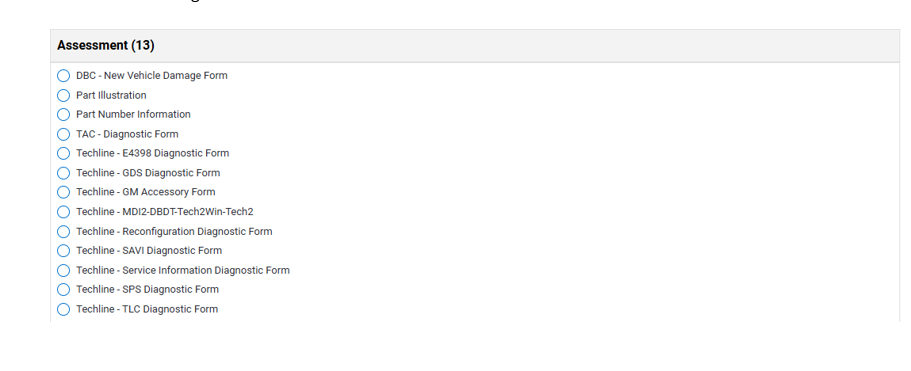
Fig. 25
TCSC is Listening
Your feedback drives continuous improvement. Your input is truly appreciated as we work to make CX Connect more intuitive and efficient. These updates are just the beginning, and we will continue to build on these improvements in future releases to deliver the best possible user experience.
– Thanks to the Techline Connect team
Updated January 20, 2026







talk about over-engineering a simple system….
Please add the customers location to Account Details. BAC is appreciated but need location also.
Please fix TAC case resolution searches. Keyword searches return next to no results. This was one of the best tools available to us in the previous TAC site.
Center of Learning and DBC folks have no idea how to use CX Connect or update cases.