General Motors is updating the way authentication works for ACDelco Technical Delivery System (TDS) user access on March 17, 2026. After this change is deployed, users will need to reset their password using the Forgot Password link in order to continue accessing their GM subscriptions. (Fig. 1)
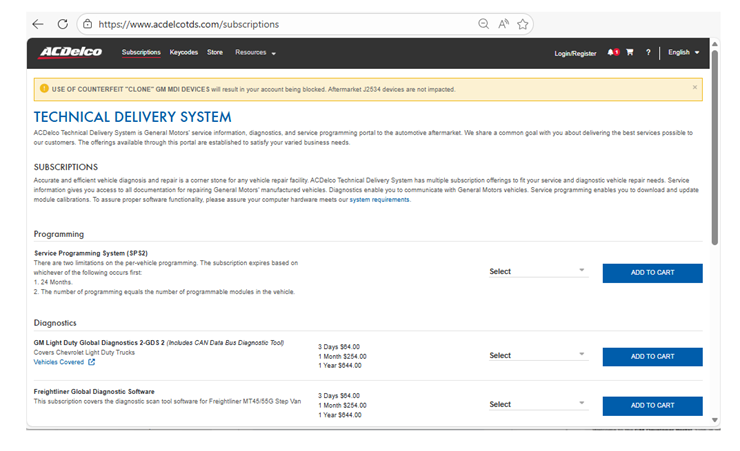
Fig. 1
How to Restore Access
- Go to the Subscriptions page and click Login/Register at the top of the screen, and then select Login in the pop-up. (Fig. 2)
- A Sign In popup screen will appear. Enter your email and click Next. (Fig. 2)
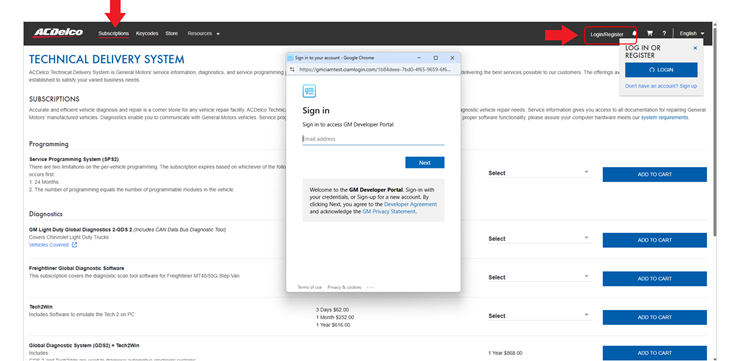
Fig. 2
- On the Password screen, select Forgot Password and follow the reset instructions. (Fig. 3)
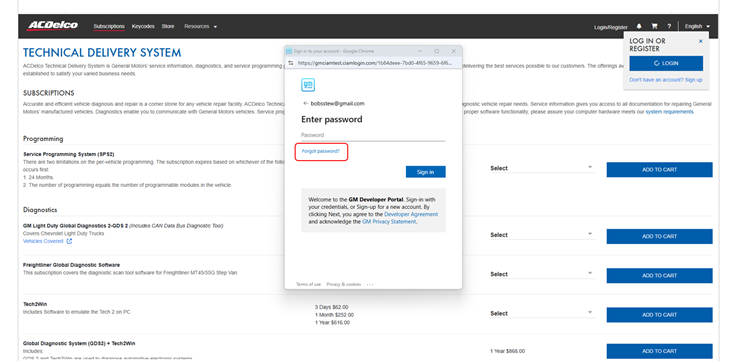
Fig. 3
- In the next window, enter your email. A code will be sent to the email address to verify your identity. (Fig. 4)
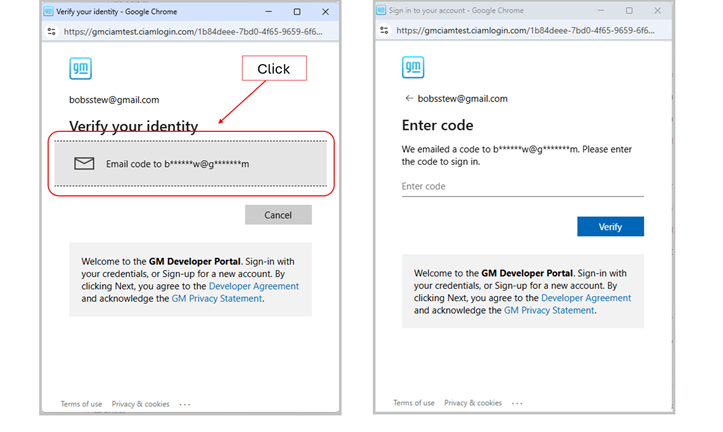
Fig. 4
- Obtain the account verification code from your email. (Fig. 5)
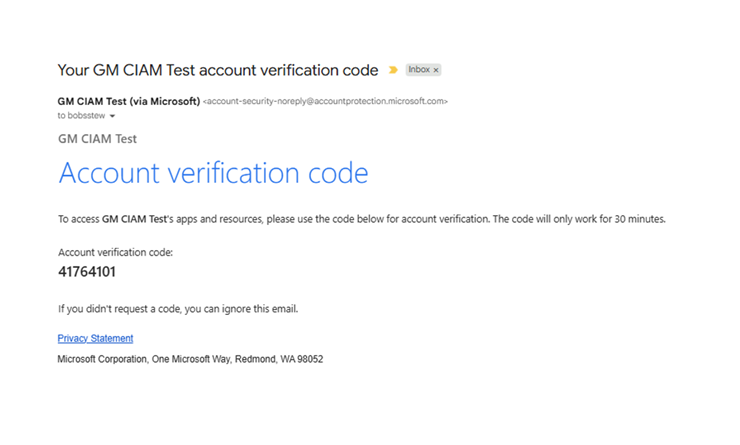
Fig. 5
- Enter the code in the pop-up window and click Verify. Next, set up your new password. (Fig. 6)
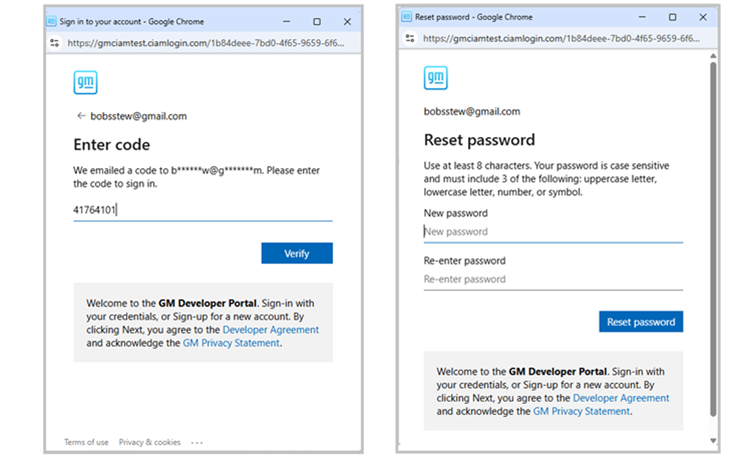
Fig. 6
- Once completed, you will have access to your ACDelco TDS account. (Fig. 7)
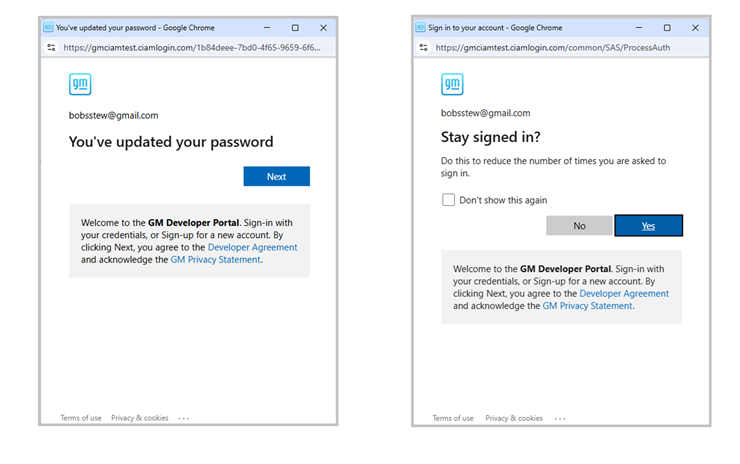
Fig. 7
If you experience any issues after the update, contact the ACDelco eBusiness support team at ebusiness_helpdesk@dxc.com or call 1-888-212-8959.
– Thanks to Bob Stewart