
IMPORTANT: The next CX Connect release has been delayed until Thursday, February 26, 2026.
The latest CX Connect release (February 2026) includes multiple enhancements and updates that are designed to increase the functionality of the app and make it easier to use. (Fig. 20)
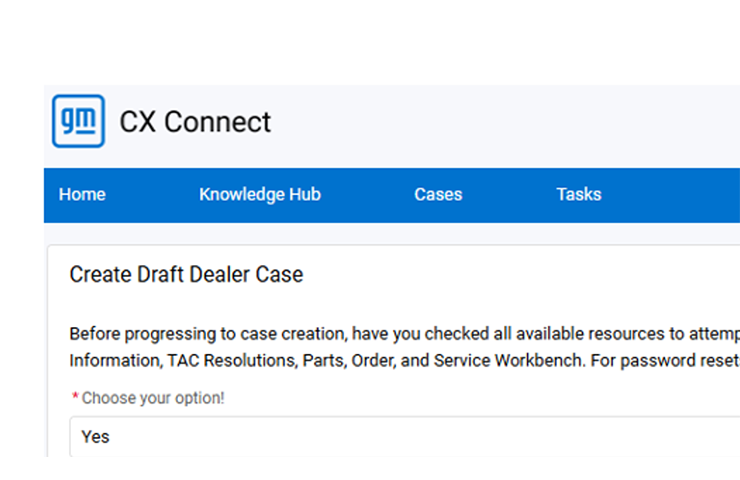
Fig. 20
Here are the latest app updates.
Task Closure Error Fix
A fix will be implemented for the following issue:
Non-case owners cannot close open tasks on a closed case and currently receive the following error: (Fig. 21)

Fig. 21
Case Re-Open Button Fix
When submitting a case re-open request via the Re-Open Case button in CX Connect, the user receives the following error: (Fig. 22)

Fig. 22
This update will resolve this error, including properly routing the re-open request task.
Collaboration Timestamps
CX Connect users will now see timestamps next to the collaboration dates: (Fig. 23)
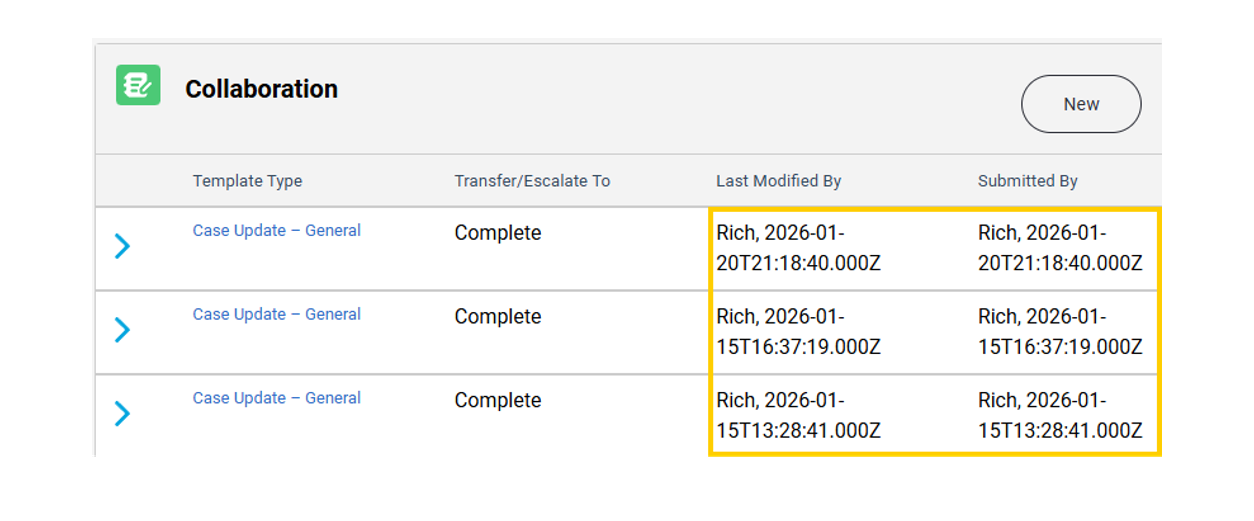
Fig. 23
Vehicle Card Formatting Update
The following updates will be applied to the Vehicle Card in CX Connect: (Fig. 24)
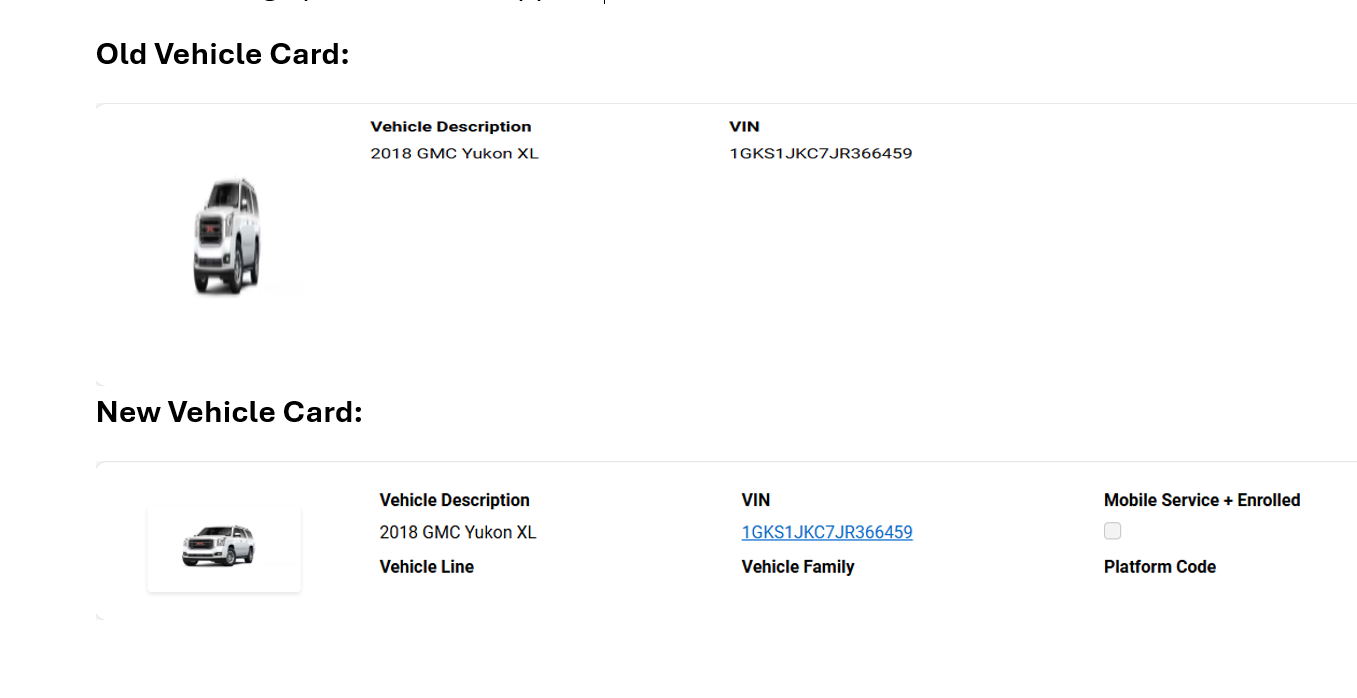
Fig. 24
Global Connect Role Updates
Updates to the role mapping between Global Connect and OneCRM ensure that dealership users with the appropriate roles receive the correct access and Case Task assignments in CX Connect.
The following Global Connect roles have been updated as the primary roles with the Customer Relations Manager role in CX Connect:
- Service Manager
- Customer Relations Manager
TCSC is Listening
Your feedback to TCSC drives continuous improvement and is truly appreciated as we work to make CX Connect more intuitive and efficient. These updates are just the beginning, and we will continue to build on these improvements in future releases to deliver the best possible user experience.
– Thanks to the Techline Connect team








Will CX Connect be available in Canada
IS CX CONNECT COMING TO CANADA?
Is there a way to fix the TAC case resolutions? its impossible to search dtcs like we were able to do with DCM. The DCM resolutions were the best tool we had with these newer vehicles.